Kamis, 31 Desember 2015

Tip - Getting Into SEO

Sorry it has been awhile since my last post...this time of the year is always hectic.  Anyways, happy to quench the thirst of readers with this next topic.

SEO.  If you are new to the game, it means search engine optimization, that in turn means "Why isn't my website on Google?"  There are a couple beginning tips I have for those making their websites public:

  1. Make it Public!  Make sure you Google Site is set to viewable by the public.  This is an option, More Actions > Manage Site > Share this Site > Change to Public.
  2. Buy a Domain!  This is the biggest step in SEO you take make for your website.  For just $9 - $12 a year you can own a domain, and it is not as difficult as you may think.  I recommend GoDaddy.com, but bypass all the bells and whistles, just buy the domain.
  3. Submit to Google!  I don't mean bow down to the power of Google.  If you simply type into to google "submit url to google," click on the first real webpage and fill out the extremely short form that tips off google to the fact you have a new website.  They will crawl it/ index it in a week safely.  A good way to supplement this action is to work with Google Webmaster Tools, which is supported in Google Sites More Actions > Manage Site > General.
I'm sure if you are a beginner you'll need some help with managing the domain and nameservers, dns records, all that crazy stuff.  I'll help you out with my next post.  Stay tuned and thanks for visiting, join up!

Selasa, 29 Desember 2015

Backgrounds, Layout, and Call to Action

Intro


Here at Kirksville Web Design, we aren't afraid to try new things. New gadgets, backgrounds, layouts, and styles. It great to test the creative mind and think outside the box.

Everything in a website has to work in symbiosis, it has to agree. The background image on a Google Site largely dictates the flow of a website, the layout leads your visitor, and the call to action creates conversions (e.g. a product sold, a form filled out, page read). Here's an example of everything working together - synchronicity.

Like a Clownfish in the Anemone - Elements need to work together for mutual benefit


Background


There are two primary background images for the Google Sites Designer: background image wrapper and background image. One usually acts as the header, one as the footer (and doesn't matter much which one is which).

The header can be understated or a huge attention grabber. If you are using a slideshow - you want the header to be short in height, because the slider is your more important element. That's why Kirksville Web Design recently cut down it's header to a third the height - to make the slider standout and allow the visitor to now have to scroll down as much.

Make sure your footer isn't an arbitrary color/pattern/dimension - it can match the header or at least compliment it.

You can see it all, no scrolling down. Get to the meat of the subject - those sample websites.


Layout


Content is king. Layout makes sure that content is easily deciphered by the visitor. No walls of text, please.

Google Sites is limit on it's page layouts - 1,2,3 columns. I usually go with three columns or create a table to make four or five. This is usually for listing information. Visitors will most likely read only your titles, subtitles, and the first sentence of a paragraph.

Work your layout around your images, slideshow, and finish it off with a big, audacious, highlighted call to action.

Three columns - simple, elegant, spaced out. Modern = Space between elements.


Call to Action


The Call to Action button is a huge deal on the home page. Send the visitor instantly to where they need to go.

Sign up, Get Started, Search, Buy, Contact Us - whatever your conversion is. Contrast it, make it stand out. This isn't the time for a muted, subtle, hard to read element.

A different font, a contrasting color, big and easy. Like the easy button.


Minggu, 27 Desember 2015

Top 10 - Wish List for Google Sites in 2013

Hey folks! +Kyle Horst here with +Kirksville Web Design and I am super excited for 2013 when it comes to Google Sites. 2012 was a successful year for us and I foresee the demand for Google Sites growing. People are migrating to Google Apps in droves and Google Sites enjoys a slice of that success.


First, lets review 2012:


  1. Easy Edit Site Layout - "Shift + L" That's the hotkey I've been learning quickly for Google Sites because it's quick and easy to edit Site Layout now. No more jostling between different tabs to verify the look and feel.
  2. New & Improved Commenting - This feature flies under the radar most of the time, but it's really nice for Wiki type projects. Those comments at the bottom of the page are now easier to follow and track thanks to some Google + type functionality.
Now onto our Wish List for 2013:

  1. Anyone can comment - I think I speak for every Google Sites enthusiast when I say we want public commenting. Tie this into Google + and we are set to blog a bit more on Google Sites and take in all sorts of feedback. This would breathe new life into Google Sites
  2. More Font Control - Certain elements of Google Sites, their font size, well it can't be changed, no matter how hard you try in the HTML editor. So give us a bit more freedom to work with fonts Google. =)
  3. Bugged Out Background Image - This has bothered me for a while. If the Google Translate feature is tripped by a visitor your background image, which you have set to the bottom of the page, will no longer stick to the bottom. It can easily destroy a Google Sites look. =/
  4. Set Column Width - The wish here is two-fold: Allow for the editing of the column width for page layouts and allow for setting the column width for the List type page. We don't always want them to be equal in width.
  5. Tags - What a wonderful idea. We see tags used everywhere in Wordpress and Blogger, but wouldn't it be nice to tag your pages and your files in Google Sites? Yes, please.
  6. Improve File Cabinet - We love the file cabinet, but at a certain point it becomes hard to manage and organize files. You can't upload to a specific folder and docs are automatically alphabetized. We could use some better Google Drive capabilities too.
  7. Improve the Announcements Page - The announcements page template is handy, don't get me wrong, but it would be useful to have more Blogger type features, like an archive widget, comments, and easy add social media gadgets (+1, tweet, etc.). Also, change author, change date/time, auto-scheduling posts, to name a few options.
  8. Add Custom CSS - When you design Google Sites, you will inevitably hit some roadblocks for fonts/colors/styling that you just can't change via conventional HTML editing means. A universal Add Custom CSS feature would be wonderful. Let us override certain styling if and when we need to.
  9. Fixed Background Image - This feature could make for some interesting designs, definitely more based on high quality photos. It would pair nicely with an option to expand background to 100 percent of the browser window. That way you have a nice full page background effect. It a popular design choice on many modern websites.
  10. Center Justify the Horizontal Navigation Bar - If you are designing a website with a more center justified look, then the nav bar is the only thing holding you back. In RTL reading languages (Hebrew, Arabic) the nav bar is justified right, so it's very possible to easily add an option to center it. Maybe in 2013.

Here's hoping for a great 2013 in the Google Sites world. Thanks!

Rabu, 23 Desember 2015

News - Social Sites Help Page Rank

Google has released, as part of the their Webmaster Help Youtube channel, information that can help the Google Sites webmaster improve search engine optimization.  The new video discloses that Google now considers social sites in page rankings.  So, your efforts on Twitter, Facebook, and Google Buzz, will get you noticed by Google.  "In what capacity?" you might ask.

Google Realtime is a search engine that processes all the most recent social data, while not the most visible avenue it could grow.  Backlinks are still important to Google and remember, it's their goal to properly rank what's relevant and popular.  I've provided the video below.


How can I get my Google Site noticed by Google Search?
It's one of the most frequent questions on the Google Sites help forum.  You want to be on the front page of a Google search entry, or at least somewhere.  Look forward to my next post on this hot topic.

Jumat, 18 Desember 2015

Business - Supplementary Google Services

Let's jump right in!

Google Places
Combine Google Maps with your local phonebook and you get something akin to Google Places.  Any business can claim their business listing based on their address.  Recently, Google Places has seen some major activity, like Google Tags and Google Boost.

Tags let's you promote your website (among other options).  Boost lets you claim an advertisement slot for a local search.  Overall, it is to your benefit to promote the website you've made with Google Sites with Google Places.  It is a great avenue to help the small business in town.  So, when you make someone a website, be sure to throw this in as a bonus feature.
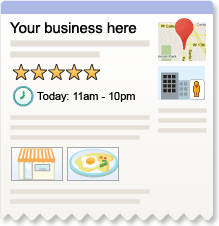
Google Places provides easy visibility for small clients
Blogger
Most websites nowadays have a complementary blog along with their website.  Blogger is basically push-button publishing and it has a lot more features than Google Sites' Announcement Page.  It's too bad that you can integrate Blogger in Google Sites, like be under the same domain (If someone knows how to do that please let me know).

YouTube
Take a page from Google's own marketing strategy.  They have dozens of Youtube channels and Blogs.  If you create a Youtube channel with your Google Site, you've tapped into one of the most visited internet locales available.  Of course this means you have to make videos, perhaps a bit more time-consuming avenue than you would like to take.  A client might want to make a video and post it on their website, like a personal appeal from the owner.

Google Analytics
If you go to Manage Site > General, you will see a space for inserting a Google Analytics ID.  This a great tool to monitor your websites ebb and flow.  Statistics are a wonderful thing, and Analytics easy setup with Google Sites is even more wonderful.  You'll need that hard data of visitors and pageviews when it comes to marketing yourself to clients and investors.  You can easily share the statistical information with them too, so they can get involved in building their website's popularity.

Click picture to visit a product tour of Google Analytics.  Powerful Data...

Google Webmaster Tools
You'll find implementing this right by your Google Analytics ID.  Webmaster Tools helps you identify keywords in your website so you can make sure you're hitting the right online market.  Although I use this less than Analytics, it's chuck full of more useful information.

Google Adwords
You can pay for SEO results, kinda, it's called Adwords.  Neither I, nor my clients, have the capital for such an investment in online advertising, but Google claims that even small business can have a share in this advertising pie.  You could see results, but consider this an additive to your website package.

Google Adsense
Simply put, you can put ads on your websites.  Manage Site > Monetize.  Unless your seeing a higher volume of visitors (100+ a day) this probably isn't worth your while.  It takes away from the aesthetic of a professional website, or at least one that represents a business.  I don't have any ads on my websites for that reason.  Also, relevant ads could take people away from the very service they are looking at obtaining from your website.  For example, I built a website for a heating and cooling business and the ads that showed up were for competitors air conditioners.  =/

It's very easy to implement Ads on your site, but is it worth it?

Conclusion: All in all, Google services alone can help you succeed in creating websites that are visible.  You can be your own SEO technician with a can-do attitude.

Bug Report - Images Not Found

UPDATE 12/31/2013 - This Bug Seems to have disappeared and no more image loading problems are occuring.

Google Sites is currently experiencing an issue where images, whether background images, logos, page images, icons, etc, are not being found and result in a broken image link. At this point it is very sporadic and images may appear, reappear and be generally glitchy.

It has been reported to Top Contributors on the Google Sites Help Forum and consequently has been escalated to Google Sites team representatives.

Ya, it's a problem.

Rabu, 16 Desember 2015

Video Tutorial - Image Formatting and Icons

My latest video tutorial for Google Sites.  We've been creating this sample website for a bakery quite steadily.

Here's what you an expect to learn in this video:
  • How to insert images by URL
  • How to format images horizontally
  • How to create images as links
  • How to find free icons for your website


    I hope you enjoy this latest video.  Any suggestions or ideas can be submitted as comments.  Thanks for tuning in.