Minggu, 13 Desember 2015

Free Font Favorite - RB No2

Just a quick post here to highlight another amazing free font, one of 2011's best fonts - RB No2 by Rene Bieder of fontfabric.com.

Here is a link to the free download:

http://fontfabric.com/rbno2-free-font/

Kirksville Web Design - Looking Good in RB No2

Enjoy! Chime in you other lovers of typography.

Jumat, 11 Desember 2015

What's Next for Google Sites?

It has been quite some time since the last significant Google Sites upgrade.  That upgrade made possible the horizontal navigation and drop down boxes that users had been clamoring for.

Google's Last Big Upgrade: Horizontal Navigation and Dropdown Boxes, but that was so long ago...

So, what is Google cooking up next for us?  Visit the Google Sites forums and you'll see a lot of speculation, and I've summarized and accumulated that information here for you.  Ultimately, Google's direction for Google Sites will determine priorities and we'll analyze the trends Google is promoting.

Trend: Intranet
Google, it seems, has been targeting businesses and schools for aggressively.  Google renamed their Google Apps Premier Edition to Google Apps for Business.  Evidence that they want to reach an audience that will pay for their product ($50/user, actually).

Recent webinars like, Improving Team Collaboration and Productivity with Google Sites, tailor the suggested use of Google Sites to intranet, project-type websites.  Will this trend mean Google Sites will become more practical and less aesthetic?  Really, Google has even scaled down their Google Groups aspect to encourage this intra-firm use of Google Sites.  All this doesn't bode well for the web designer use, although Google has a knack for balancing the multipurpose design.

Speculation: Page Permissions
A popular request on the Google Sites suggestions forum for some time, page permissions are an excellent idea to expand both the uses of a intranet website and a public internet website.  What meant by page permissions?  Basically creating a login ability for varying levels of access throughout a website.  For example, a members and guests sort of permissions format.  The current, owner/collaborator/viewer format is unsatisfactory.  Will Google implement such a suggestion soon?  We all hope so.

Trend: Google Apps
Google Sites has been the sort of side-kick to the Google Apps line-up.  Google certainly is trying to promote the use of Google Sites within the Google Apps complex.  It is one of their "core apps" after all.  Therefore, it would be unexpected for Google to cease making important upgrades to it.

Speculation: Embed Google Groups
If the two shall meet, Google Groups and Google Sites, there would be much rejoicing for an essential forum option.  An announcements page just won't do it.

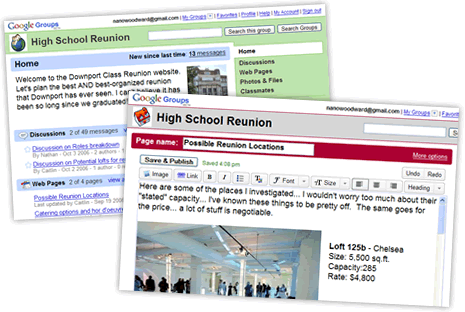
Google Groups, They're revamping it, but couldn't they just incorporate it?

Great Ideas for Improvements:
  • Navigation could support images more so than just transparency.
  • More Fonts!  There are around six right now, it's hard to be more unique.  At least allow for them eh?
  • Flash Options - We all love to see the stylish animated banner/header on websites.  Could this be implemented?
  • Column Widths - It's been mentioned on the forums, the ability to adjust how wide you columns are in page layout.  Two equa-distant columns is boring and the sidebars are too narrow.
What would you like to see next in Google Sites?  Please comment below and share your hopes and dreams.
 

Rabu, 09 Desember 2015

Video Tutorial - Embed Tools from Google

Learn to embed those important tools like Google calendars and Google Docs.

See the progress made to our sandbox website http://sites.google.com/site/numsbakedgoods 

A Bit of a Summary
This video focuses on important elements to any Google Site, that is, using the inherent interactivity of Google Docs and Calendars, etc, to convey and gather information.  Google Doc's forms are fairly simple and I show you where the input information shows up and how to be notified via e-mail.

Note: Remember it is important to make your Docs and Calendars public for them to be seen on a public website.  Also, make sure that your Calendar has a relevant time zone, this setting is available in..."settings!"


Google Sites makes it wonderfully easy to implement these practical applications.  Love Google Sites and the Google Apps package.

Minggu, 06 Desember 2015

Google Sites New Look Becomes Permanent

I've heard all sorts of praise and criticism about Google's new look for all it's apps. Honestly, I liked the black bar at the top, but that not really the point of this article.

So Google Sites go its own little stylistic refresh and non Google Apps users have been testing it out over the last couple weeks. Anyways, that new look becomes permanent across all Sites users and accounts.

From a recent post by Google, on 12/6 the new look will be the default standard look and I'm so far not sure that you can hold on to the old look. I wouldn't imagine so at least. So warn your Google Sites end users. Like me, I think they will find it a refreshing change.

Jumat, 04 Desember 2015

Bug Report - Slow or Non-existant Google Sites Templates

Intro

It looks like the Template Gallery in Google Sites is experiencing some technical difficulties. I got the screenshot below and for the past couple days copying and creating new sites has been difficult. So what's the deal?


The Bug

It you try to create a new site from a template or copy a site (acts similar to a template) you might not get any options for template to use.

If you do see templates, it might take an infinite amount of time for the site to actually create or copy.

Solution

None at the moment. According to the Google Sites Help Forum, Top Contributors have submitted the issue to the Google Sites team.

Potential Cause

Every time Google Sites get particularly buggy, there have been updates, upgrades, or changes to the Google Sites application. Could this bug be reasoned that way? Probably. We've long await a better way to manage the Template Gallery, which contains thousands of templates, some spammy, some poor quality, some excellent. It's a veritable grab-bag.

So let's wait and see. Stay tuned.

Business - Selling Points of Google Sites

When I have proposed building a website for a business or organization, there are several selling points I try to drive at.  That is, I focus on the advantages of using Google Sites to build their website.  Let's look at some of these:
  • There are no initial investments to build a Google Site - The designer doesn't have to purchase any software, have taken any classes, or even provide hosting.  The customer is able to buy at cost your time and effort.  You can undercut the competition!  Custom sites can cost $400+, you can do better than that.
GIMP, Free Photo Editing and Design Program
  •  The customer is not out of the loop, they can participate in uploading and creating content.  Since you are using a very user-friendly medium, the customer can learn to get involved instead of always paying or bothering the webmaster.  Share you site to the customer as a collaborator, if they want.
  • Promote the Google Apps package deal.  If you design using Google Sites no doubt you have experience with the other Google Apps Small Businesses can use like Google Calendar, Gmail, etc.  If you sell them the package deal you are on your way to becoming a Google Apps Authorized Reseller.
You have an impressive cloud package to present.

  • Google Sites is good for SEO.  You are basically using an all HTML platform, and though you might not be able to implement slick Flash elements, Google can efficiently index your website.
  • You can provide quick turnaround.  If you are a Google Sites expert, or even a novice, you can create a draft of a website in like 8 solid hours.  Unlike web design companies that take weeks or months to produce, you can be very timely.
 I hope this helps any web designers that want to sell their creative work using Google Sites.  Don't forget to act professional because no client wants a wonky webmaster.

Kamis, 03 Desember 2015

Top 6 Google Webfonts for Google Sites

Intro

I think everyone knows I love typography. Ever since the Google Sites team released the availability of the hundreds of Google WebFonts I have striven to take advantage of the best fonts around. There are readable fonts, striking fonts, accent fonts and cute fonts.

I've cut through to the cream of the crop and found the best fonts suited for Google Sites. So enjoy these top 6 webfonts for Google Sites and implement them on your Google Sites template designs and portfolios.

Sanchez

This is a newcomer and is trending because of its slab-serif style, reminiscent I think of Museo, which is very popular as well but not a Webfont.


Oswald

This font is narrow, masculine and bold. I think it is ideal for paragraph headings. Reminds me of Bebas Neue in a way. Remember narrow isn't great for paragraph text.


Open Sans

It's the poster child font for Google, besides their logo. Clean and crisp, it's a great all-around font that is very legible. Use it at 16px/12pt for best results.

PT Serif

This is my go to serif font. You know how many webfonts don't render too well, especially at small sizes? Well this does great and overcomes that pitfall for many of the Google Sites fonts.


Ubuntu

It's a bit fun this font, I mean it's unique and works wonderfully as another all-around-good-font for Google Sites. Check out those interesting little tweaks that make this font great.


Montserrat

This font renders a bit bolder and bigger and therefore is good in certain Google Sites applications where that is needed. I'm featuring it in a Google Site I'm designing right now, so yay!


Conclusion

It's intimidating to look at that gigantic drop down menu of Google Sites fonts, but make some wise choices and pick something that looks best on any screen, any size and any browser. Have fun with your next Google Site!